urlhub for creators
Everything you recommend under one link
Gear, the products from an episode, your latest videos and podcast: paste the addresses and urlhub makes them a page with each one's picture. Put the one link in a video description, a pinned comment or your profile. The panel shows what people click.
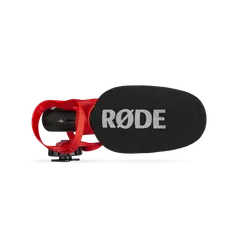 VideoMic GO II | Lightweight Directional Microphone rode.com
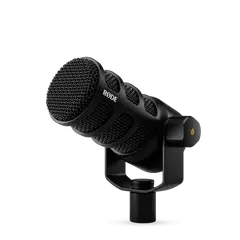 PodMic USB | Versatile Dynamic Broadcast Microphone rode.com
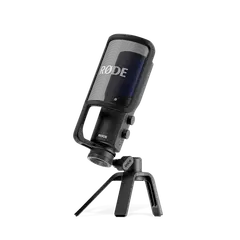 NT-USB+ | Professional USB Microphone rode.com
 Key Light | Professional LED Panel Lighting elgato.com
What creators use urlhub for
Everything from this video
The products and places from an episode as one link in the description, a pinned comment and your profile.
Standing picks
Gear, a make-up bag, books: products from different shops in one set you keep up to date in the panel.
A link in bio with pictures
Your latest videos, podcast, shop and newsletter as tiles rather than plain buttons. Add a new video in the panel.
A media kit for brands
Your best work, numbers and contact details as one link. Each brand can get its own copy, and the panel shows whether anyone opened it.
Reporting a collaboration
The campaign's links with UTM parameters, and the clicks on each in the panel for the brand's report.
How it works
Paste the links
Products from different shops, YouTube and Vimeo videos, podcast episodes, articles: addresses one under another, or a whole video description urlhub picks them out of.
Save the set
Click “Save the set”, type a title such as “Recording gear”, and pick “Create the set”. You get a link, a QR code and a panel.
Put the link in the description
One link in the description, a comment or your profile instead of ten. “Copy as text” also gives a ready list of titles and links.
What you get
- Each link's picture, title and video length come by themselves: from YouTube, Vimeo, Spotify and shops' pages.
- One link for good: change the set while the link in old videos leads to the new version.
- Clicks on each link, counted without cookies: see what people care about.
- No account and nothing to install, for your viewers too.
- The set in your style: theme, colour, title face and cover, and once the domain is proved your logo; the picture sent with the link looks the same.
To be fair: Instagram content cannot be read automatically, so a link to a post shows without a picture. Some large shops do not give a preview either. Mark advertising in the set's title or description with the word “Ad” or “Affiliate link” and the brand's name; there is no field of its own yet.
Questions and answers
Do viewers need to install anything?
No. The link opens an ordinary page in the browser. Neither your viewers nor you sign up.
Can I update the list without changing the link in old videos?
Yes, in a set you can change: swap the links in the panel and the address stays the same.
Will I see what people click?
Yes. The panel shows visits day by day, code scans and clicks on each link, in totals, without cookies and without anything about people.
Can I add affiliate links?
Yes, an affiliate link is an ordinary address. Mark it as advertising: with the word “Ad” or “Affiliate link” and the brand's name, in the set's title or description. A vague “collab” or a discount code alone is not enough.
How is it different from “link in bio” pages?
Most of them need an account, and you type in or upload each link's title and picture yourself. With urlhub there is no account, and the picture, title and description come from the page the link leads to. There are no themes of your own or selling in the app, though.
Can I put several sets under one link?
Yes. Paste the addresses of your urlhub sets into a new set: each shows as a card with its pictures and number of links, and the card changes with the set. That makes one page with all your collections or picks.